Kanchi LogoKanchi
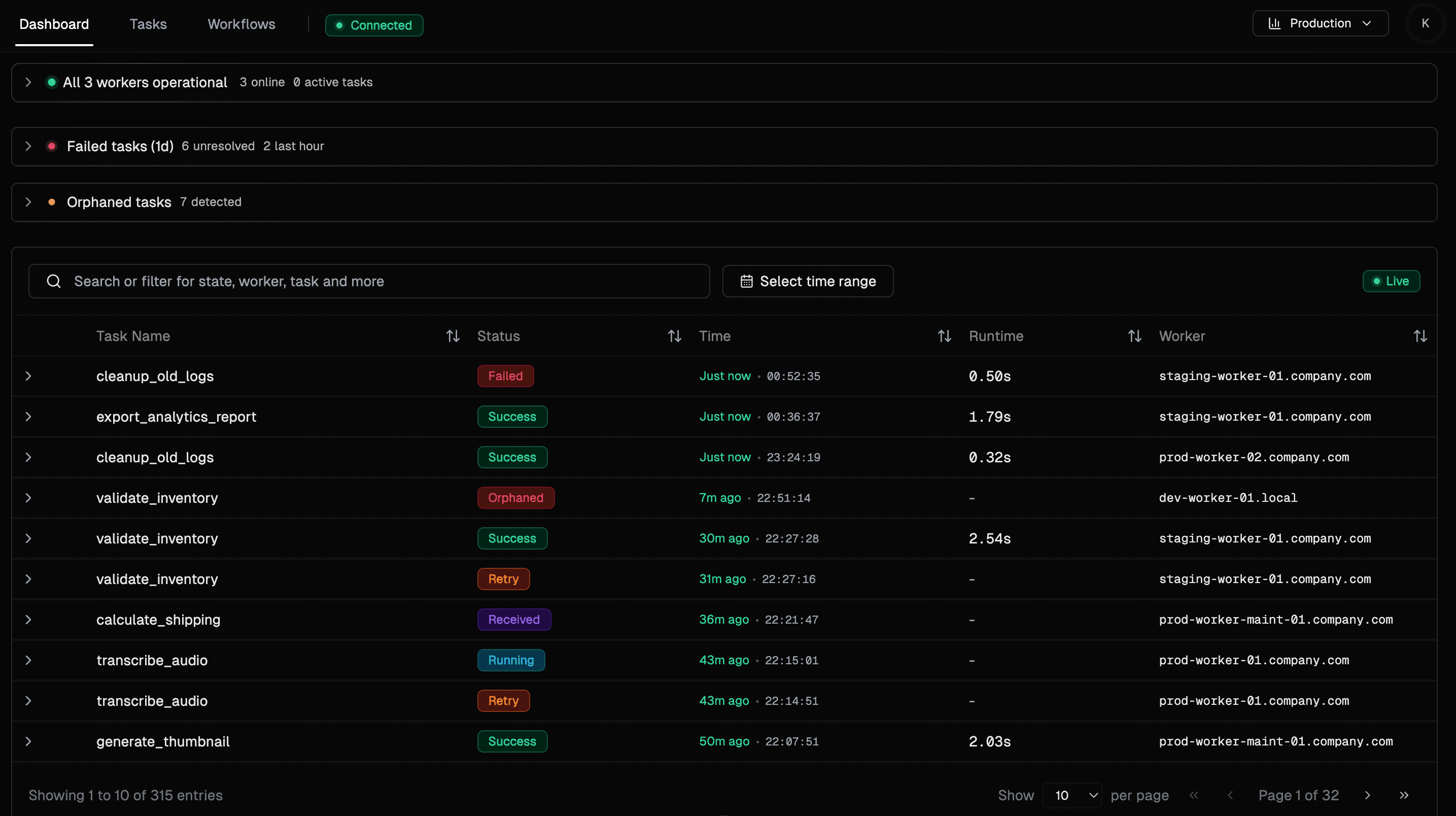
Kanchi operations dashboard showing failed tasks, orphaned tasks, workers, and live task events
Real-time Celery recovery

Self-hosted Celery operations

Watch tasks move through your broker, review failures with their payloads, rerun safely, and automate the incidents your team has already seen too many times.

RabbitMQ and Redis
Safe rerun review
Workflow guardrails
MIT licensed

Task operations loop

Built for the part after the alert fires.

Flower and dashboards are good at telling you that something happened. Kanchi is shaped around what operators do next: inspect the payload, choose a recovery path, leave an audit trail, and automate the repeat case.

Detect

Know what broke while it is still fresh.

Kanchi keeps failed, orphaned, retrying, and running tasks visible with live broker events, worker heartbeat context, and filters that match how incidents are investigated.

failed tasks: 6 unresolved
orphaned tasks: 7 detected

Inspect

Open the task, not a pile of logs.

Task detail pages preserve args, kwargs, traceback, queue, worker, retry chain, rerun lineage, and progress steps in one place your team can link to.

args + kwargs
traceback + worker
progress steps

Recover

Rerun deliberately instead of replaying blind.

Bulk actions open a rerun review where Kanchi checks available payloads, lets you repair inputs, skips unsafe items, and records what happened.

ready as-is: 12
needs input: 2
will rerun: 10

Automate

Turn repeat incidents into guarded workflows.

Use triggers, conditions, Slack or webhook notifications, retries, cooldowns, and circuit breakers to automate recovery without creating retry loops.

when task failed
if retries < 3
then retry + notify

Production access

Basic auth, OAuth, sessions, host/origin controls, and email allowlists for teams that cannot leave dashboards open.

Auditable operations

Manual resolve, unresolve, rerun, skipped, failed, and edited actions are stored so the next person can see what changed.

Product tour

Real operational surfaces, not decorative mockups.

See the surfaces operators use when queues misbehave: live task state, guarded reruns, recorded decisions, progress reporting, and automation controls.

Operations cockpit

Failed tasks, orphaned tasks, workers, and live queue events stay visible on one screen.

Rerun review

Inspect captured payloads, repair inputs, skip unsafe tasks, and submit a tracked rerun batch.

Action history

Every resolve, unresolve, rerun, skip, failure, and edited payload has somewhere to live.

Task progress

Long-running jobs can report progress percentages, named steps, and current messages.

Workflow guardrails

Build no-code task automations with conditions, cooldowns, execution limits, and circuit breakers.

Retention controls

Keep successful task history lean while preserving failed, retried, and orphaned history for analysis.

Why it feels different

Kanchi treats task failures as operational work.

The memorable parts of Kanchi are not the table itself, but the way task state becomes recoverable, explainable, and safe to automate.

Read the changelog

History survives restarts

Kanchi stores task state, retry chains, action history, progress, and registry metadata in SQLite, Postgres, or MySQL.

Recovery is reviewable

Reruns can be checked, edited, skipped, and traced. Operators do not have to reconstruct payloads from memory.

Runs beside your workers

Point Kanchi at RabbitMQ or Redis, keep ownership of the database, and add task operations without changing application code.

Documentation

Fast setup, deeper controls when you need them.

CELERY_BROKER_URL=amqp://user:pass@rabbit:5672//
docker compose up -d --pull always

Run it beside your workers

Bring task recovery into the same place you monitor the queue.

Start with broker visibility. Add progress instrumentation, workflow automation, auth, retention, and Prometheus metrics as the workload gets more serious.

Self-hostedMIT licensedRabbitMQRedisPrometheus